More Than Chat
Explore supported models for text, images, video, speech, audio and music. Browse Hugging Face, add a model by name or link, or bring a compatible model you trained yourself.
 Fireball Wrangler
Build with one assistant. Test with another. Keep the whole team in view from your phone, while your Mac, Windows and Ubuntu hosts do the work. Bring your AI accounts and local models together in one place.
Free for 1 host + 1 client, no card. Up to 5 hosts + 2 clients for $5 a month.
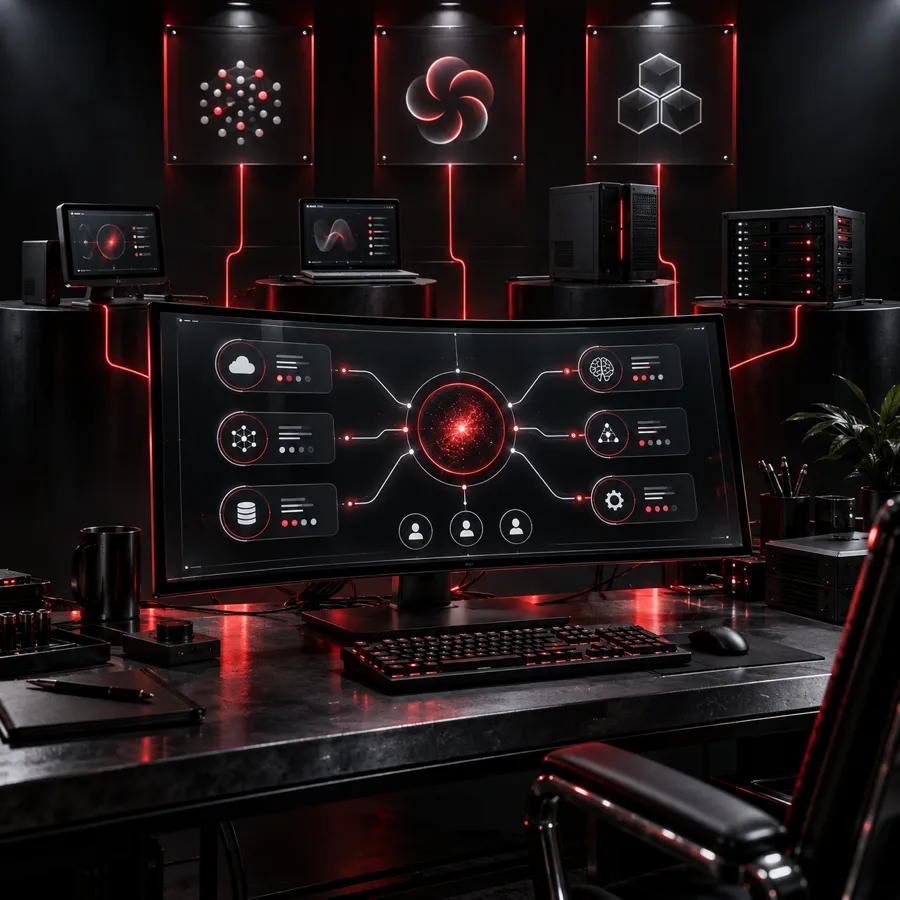
Running more than one AI coding agent gets messy fast.
The Host runs your agents on your computer. The client lets you drive them from anywhere. One Fireball account signs you in to both.
The client you drive them from
See every agent on every host, answer decisions and steer the work from your phone, tablet or any browser. Nothing runs on the client itself: it talks to your hosts through Wrangler, with no open ports.
Runs your agents
The app for the computer that does the work. It runs the official Claude Code and Codex CLIs, keeps your provider logins on that machine, and has the full controls built in. Put it on every computer you want working.
Plans count them separately: Free covers 1 host + 1 client; Wrangler Plus covers up to 5 hosts + 2 clients.
Put the Host on your Mac, Windows PC or Ubuntu box, and drive it from your phone, tablet or any browser.
Phones and tablets
Client
iOS and iPadOS
Client
Apple silicon and Intel
Host
Intel, AMD and ARM
Host
Any browser, nothing to install
Client
Intel, AMD and ARM
Host
Download the Host
For your Mac, Windows PC or Ubuntu computer. Every download has its own Install help.
Sign in once
Your Fireball account, then your AI accounts. Wrangler installs the AI tools for you.
Put them to work
Tell it what to build, then steer from the web or your phone.
Every agent's state — working, idle, blocked — its current task and last message, at a glance. No more tab-hopping between terminals and machines.
See the limits and reset times your provider reports, with alerts for idle accounts that still have capacity.
Messages to a busy agent queue up and land at the next safe moment; Interrupt when you need it now. Steer without breaking an agent's flow — or paying to restart it.
Claude Code, Codex, Gemini, Sidecar and supported local models. Choose the account and model for each job, and use your subscriptions side by side.
A Manager coordinates, Developers build, Testers check the right operating system, and a Critic reviews the result. Choose the provider for each role.
Work comes from your GitHub Issues and Projects, and every assignment shows up on your board. Nothing new to learn or migrate.
"Open in Terminal" drops you into the real CLI on the agent's own session. Wrangler never hides the real tool from you.
Schedule recurring work, collect your Managers’ reports and find saved outputs in Files. Keep the next step and the result in view.
Let a compatible assistant help configure your hosts, combine duplicate account entries and move agents between accounts. You handle sign-ins and approvals.
Add reusable skills and connect your agents to outside MCP tools. Choose which tools they may use and when writes need your approval.
See agent activity, host events and MCP steps in one place. Read the logs on your own computers, then choose what to export or send.
Connect a compatible assistant to Wrangler's tools to inspect your workforce, prepare a setup and help manage the work.
Build a team that fits the work
Put your preferred assistant in each role. For example, Claude Code on development, Codex managing the work and a separate Codex agent reviewing it, with focused testers on the hosts you need.
For example: Codex
Plan the work, assign tasks and bring the reports together.
For example: Claude Code
Make the change, then hand it off for testing and review.
For example: a local model
Run a defined test checklist on the matching host and report what passed or failed.
For example: Codex
Review the result against your criteria and send feedback to the Manager.
This is an example team, not a fixed recipe. Choose the models, accounts and instructions that suit each task.
Place Testers on macOS, Windows or Ubuntu hosts. Give each one the test commands and SDK versions your project needs: an Xcode build on a Mac, a Windows build or a check in your Linux environment.
Install the required SDKs on each host. Local-model agents need a compatible running model service and agent tool; model capability and hardware determine what work fits.
Give Sidecar a short smoke-test checklist, ask it to explain a failure or draft the follow-up issue. Keep its part focused and review the output. It is affordable help for the small stuff; longer coding sessions can use its Credits quickly.
Find the right work for Sidecar →Away from the desk
Wrangler’s iPhone notifications can appear on a paired Apple Watch when notification mirroring is enabled. Open Wrangler on your phone for the full team view and controls.
How Apple Watch notification delivery works →MCP lets a compatible assistant inspect and operate Wrangler’s tools. Enable the connection and choose its permissions to help plan and manage your team. External assistants use your own provider accounts, billing and limits; their subscriptions are separate from Wrangler and Sidecar.
Your models. Your own machine.
Put the hardware you already own to work. Run a wide range of compatible local models alongside your AI provider accounts, without juggling a separate setup for every job.
Explore supported models for text, images, video, speech, audio and music. Browse Hugging Face, add a model by name or link, or bring a compatible model you trained yourself.
See what fits your computer’s memory, what might be tight and what is likely to run slowly. Wrangler manages supported engines and model downloads, with benchmarks to help you choose.
Let agents on your laptop use a supported model hosted on your more powerful desktop. Enable sharing between your own Wrangler hosts and keep the heavy work where the hardware is.
Model support depends on its format, the available engine and your hardware. Choose local models for the tasks they handle well, and keep your preferred provider available for demanding work. Provider subscriptions and usage charges remain separate.
In progress · Upcoming update
We’re making a busy AI team easier to manage, from the project plan to each agent’s workspace.
Projects, milestones and tasks together, with grouped work, issue details and links to the responsible agents. Keep the plan readable as the team grows.
Choose which accounts an agent may switch to, so you can reserve an account for your Manager or keep a worker on the accounts you intended.
Give an agent a primary repository, clean up its local workspace and manage its configuration on a clearer dedicated page.
Fireball Trader · Planned connection
Use local AI to help drive your trading plan. Let Wrangler handle the accounts and models; let Fireball Trader connect the work to your goals.
We’re building a connection through MCP for researching your favorite stocks, turning the news into a useful report and practicing a plan with simulated money. Choose a supported local model or your preferred AI provider. Authorized Live trading is planned later, with explicit permissions and trading limits.
Explore Trader →Trader and this connection are in development. AI output needs review; practice results do not guarantee real-world returns.
Run Wrangler Host on several computers and they act as one team. Wrangler Plus covers up to 5 of them.
Agents on different Macs build at the same time instead of queueing for one machine.
New agents land on the machine with the right account, Xcode and the most room.
Work any agent on any computer from one interface, as if you were sitting at it.
Start with a new idea or a setup you already like.
1
Install Fireball Wrangler Host on the computer that will run your agents.
2
Sign in with your Fireball account.
3
Sign in to your AI provider accounts — on their own sign-in pages.
4
Tell it what you want to build. A setup agent builds the team and shows you one change list to approve.
In Wrangler’s built-in Sidecar panel, describe the agents you want or paste a saved Wrangler template. Sidecar can prepare the setup through the app’s own controls. Review the proposed changes and approve them, without clicking through every setting again.
Save your workforce as a blueprint for the next host. It is a good fit for Sidecar: one focused job that gets you ready for the work ahead.
Private by design
Your work happens inside your own fence. Fireball's cloud helps your devices find each other and keeps your hosts in sync. It isn't where your code or your AI sign-ins live.
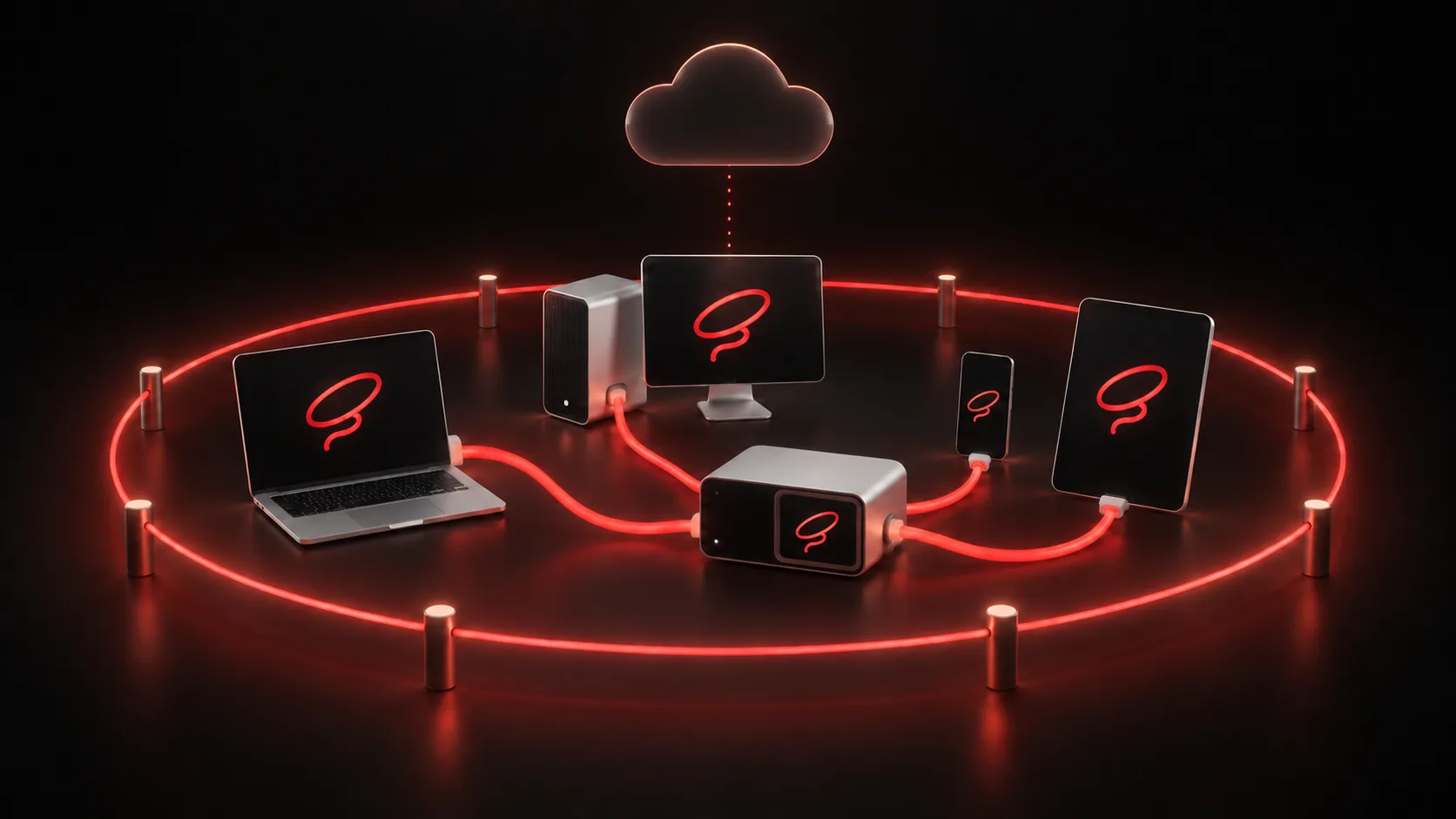
You sign in to each AI provider on its own page, on your own computer. Those sign-ins and any API keys stay there, in the computer's secure store, and the AI tools talk straight to their providers, not through us. (Fireball Sidecar, our own AI, is the one that comes to Fireball.)
Agents clone and work on your repositories on your own machines. Nothing in Wrangler uploads your code to Fireball.
Your hosts reach out; nothing on your network is opened up. Every connection is encrypted, and your phone or browser connects straight to your computers whenever it can.
Your agents' conversation history isn't saved in the cloud unless you turn it on. Then it's kept 30 days, and turning it off deletes it.
No ads, analytics or tracking in any Wrangler app, and no automatic crash reports. We don't sell your data. Diagnostics go only when you send them.
Delete your Fireball account from your account page and your Wrangler data in our cloud goes with it — hosts, settings, history and connections. No support ticket, no recovery. Backups age out within 35 days.
Adding AI accounts and finishing sign-ins happen only from your own apps. Sharing on your local network and the local MCP service stay off until you turn them on.
The Mac app is notarized by Apple and its updates are signed. Ubuntu updates come from a signed repository. Windows signing is on the way.
Wrangler drives the unmodified Claude Code and Codex CLIs: not a clone, not a proxy.
A host is a computer running your agents (Fireball Wrangler Host). A client is where you drive them from — the web app or a phone. Plans count the two separately.
$0
1 host (a computer running your agents) + 1 client (the web app or a phone). As many agents and accounts as you like.
$5 / month
Up to 5 hosts + 2 clients (e.g. the web app and your iPhone). $55 a year.
$3 / month
Add Wrangler Plus to your Designer or Sidecar plan — $33 a year, on the same bill. With all three apps (Designer Pro or a Designer + Sidecar bundle) it's $2 a month, $22 a year.
One Fireball family
Choose the apps that fit what you want to do. Keep your AI choices open, with one Fireball account connecting the family.
Create in a shared design workspace. Get focused help from Sidecar or connect your preferred assistant through native MCP.
Explore Designer →
A lightweight, affordable AI helper for quick questions, useful drafts and focused tasks inside the apps you use.
Explore Sidecar →
In development: research the market, practice a plan and connect your AI to authorized trading workflows. Sidecar and Wrangler connections are planned.
Explore Trader →The Fireball community
Design a part. Write the code. Share what worked. Fireball brings tools for makers, designers and coders into one family, with one account connecting your apps and community.
Create in Designer, get everyday help from Sidecar, and coordinate your AI agents with Wrangler.
Organizations are for friends, clubs, startups and businesses. Individual logins, shared purpose, and one owner handling billing.
Share Designer projects in the Warehouse so other makers can discover, learn from and build on your work.
Next for the Warehouse: a home for your organization’s shared designs and collections. We’re also exploring reusable Wrangler setup templates and contributions from more Fireball apps.